Make beautiful screen recordings
Cliplume is your all-in-one tool for demos, walkthroughs, and product videos. Includes built-in auto-zooms, smooth cursor, and much more.

Auto-zoom, silky cursor & beautiful backgrounds
Cliplume adds beautiful cursor animations and auto-zooming plus a background to your recordings so you can spend less time editing and more time shipping.
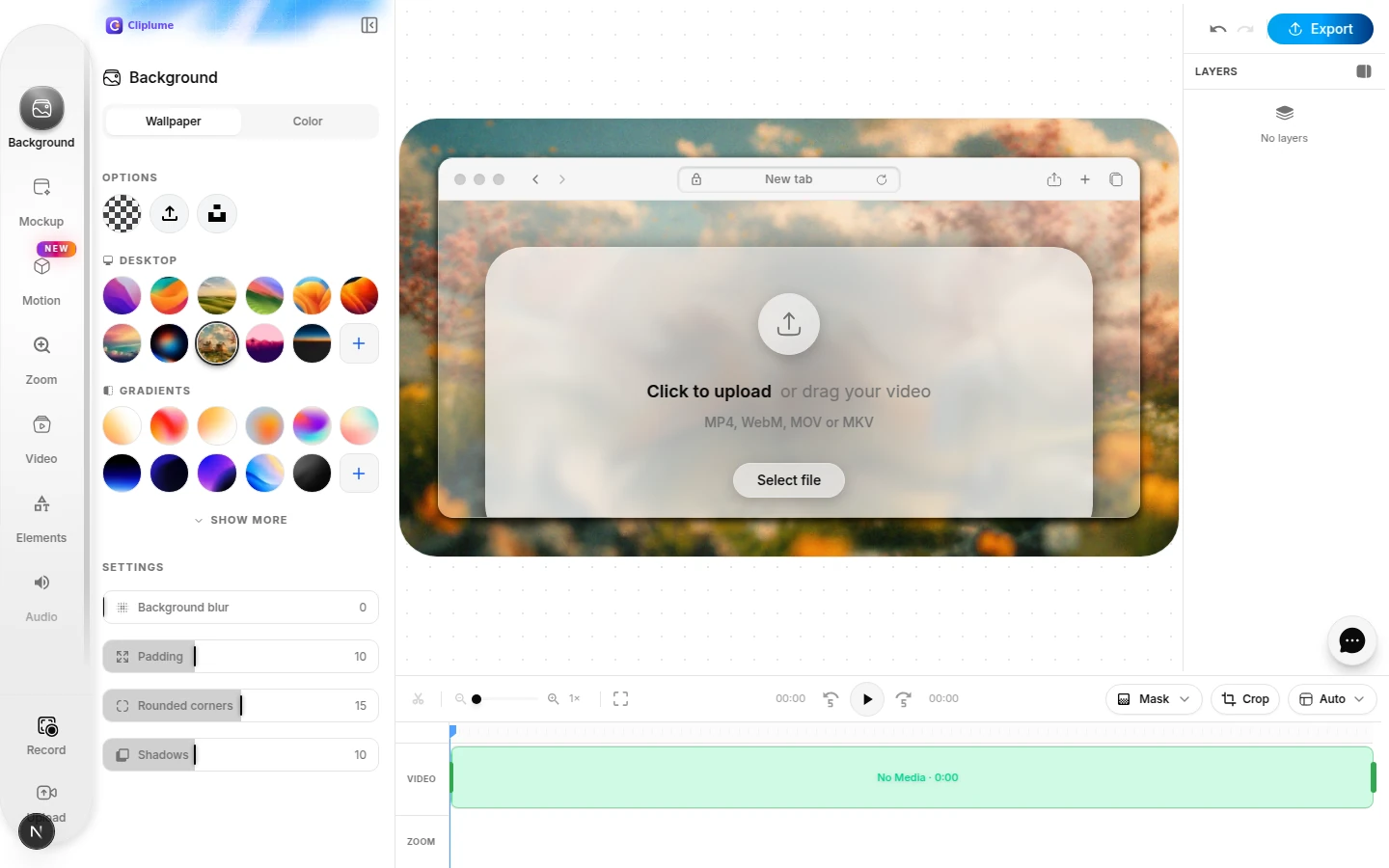
Intuitive timeline editing interface
Use drag-and-drop pieces to control video speed, zooms, annotations, audio tracks and video length, and save your projects as .cliplume files so you can save your progress or edit other projects.
Record microphone & system audio
Dual‑source audio capture with sample‑accurate sync. Speak, demo, and showcase with flawless sound.
Save and load projects
Cliplume remembers your workspace. Save projects with all your audio, video, and layout choices, then reopen them instantly to continue creating.
Change export format and quality
Turn your recording into a smooth MP4 or a looping GIF. Perfect for demos, tutorials, and quick social posts.
Loop cursor path
Loop your cursor path so GIFs and autoplay clips stay engaging. No jumps, no stutters; just clean, continuous motion.
Import audio tracks & webcam footage
Import audio files and webcam video with full timeline control. Layer, sync, and refine external media right inside your project.
Free to start
Free plan exports stay at 1080p with a small watermark; upgrade once, own it forever for 4K exports, no watermark, and all editing tools included.
//
FAQ
Questions? We've got answers.
Is Cliplume really free?
Can I use Cliplume for commercial purposes?
What platforms does Cliplume support?
How can I help Cliplume?